

On this page
An idle SSH session dies with client_loop: send disconnect: Broken pipe because something closed the quiet connection, so the fix is to make your ssh client send a small message every 30 seconds with ServerAliveInterval. DevWorkspace Pro, a desktop app for macOS, Windows and Linux, does this for each session in its Remote SSH tab, with no config. It costs $9 a month, $95 a year or $499 once.
You leave a server open, go for lunch, come back and press a key. The shell is gone, and whatever you had in it went too. If that sounds familiar, you are in good company: this developer and this one asked the same question.
Why the connection drops
The error comes from your own ssh client. It tried to write to a connection that no longer exists. These are the usual reasons:
| Reason | What to do |
|---|---|
| A router or firewall closes connections that look idle | Client keep-alive, below |
The server closes idle clients with ClientAliveInterval |
Client keep-alive, or change the server setting |
The shell on the server has TMOUT set |
Run echo $TMOUT on the server. Remove or raise it |
| Your laptop slept, or your network changed | No keep-alive fixes this. Use tmux for long jobs |
Fix it in your SSH config
This works in any terminal. Add it to ~/.ssh/config:
Host *
    ServerAliveInterval 30
    ServerAliveCountMax 4
If the server sends no data for 30 seconds, ssh sends a message through the encrypted connection and asks for a reply. That traffic keeps the connection from looking idle. After 4 messages with no reply, ssh closes the session, so a dead connection does not leave you with a frozen terminal.
If you run the server, you can also set ClientAliveInterval 60 in /etc/ssh/sshd_config, then restart the SSH service. The server then checks on the client from its own side.
In DevWorkspace Pro, it is already on
The Remote SSH tab starts each session with -o ServerAliveInterval=30 -o ServerAliveCountMax=4. You do not need to change your config file, and this applies even when the keep-alive setting below is off.
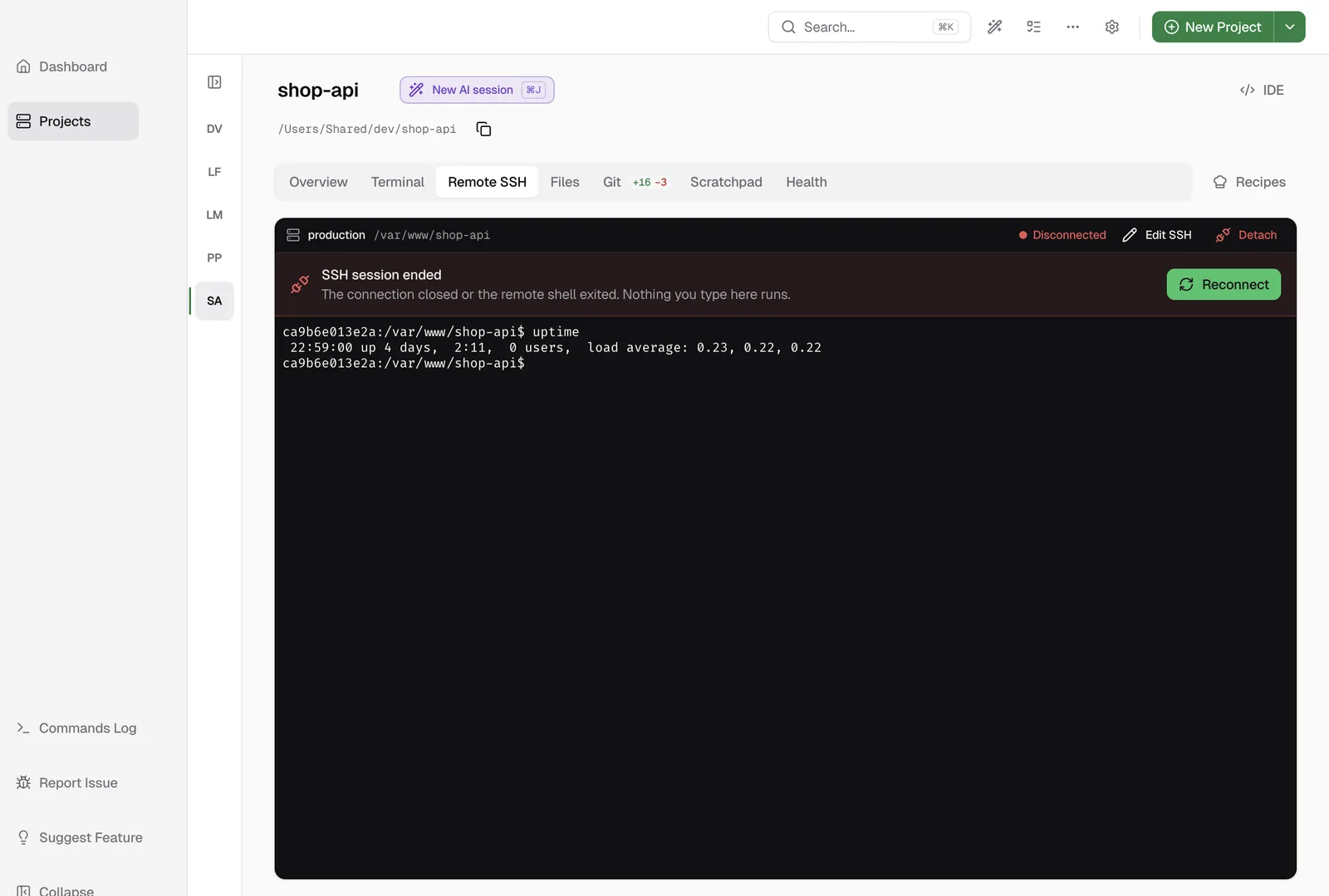
We tested what happens when the server stops replying. We froze a test server while a session was open. In about 3 minutes, the toolbar showed Disconnected, and the app stopped accepting input for that session, so you cannot type a server command into your own computer by mistake. Click Reconnect to start again.
If it still drops: turn on the idle ping
Some connections still close. For those, open Preferences → SSH and check Enable SSH Keep-Alive.
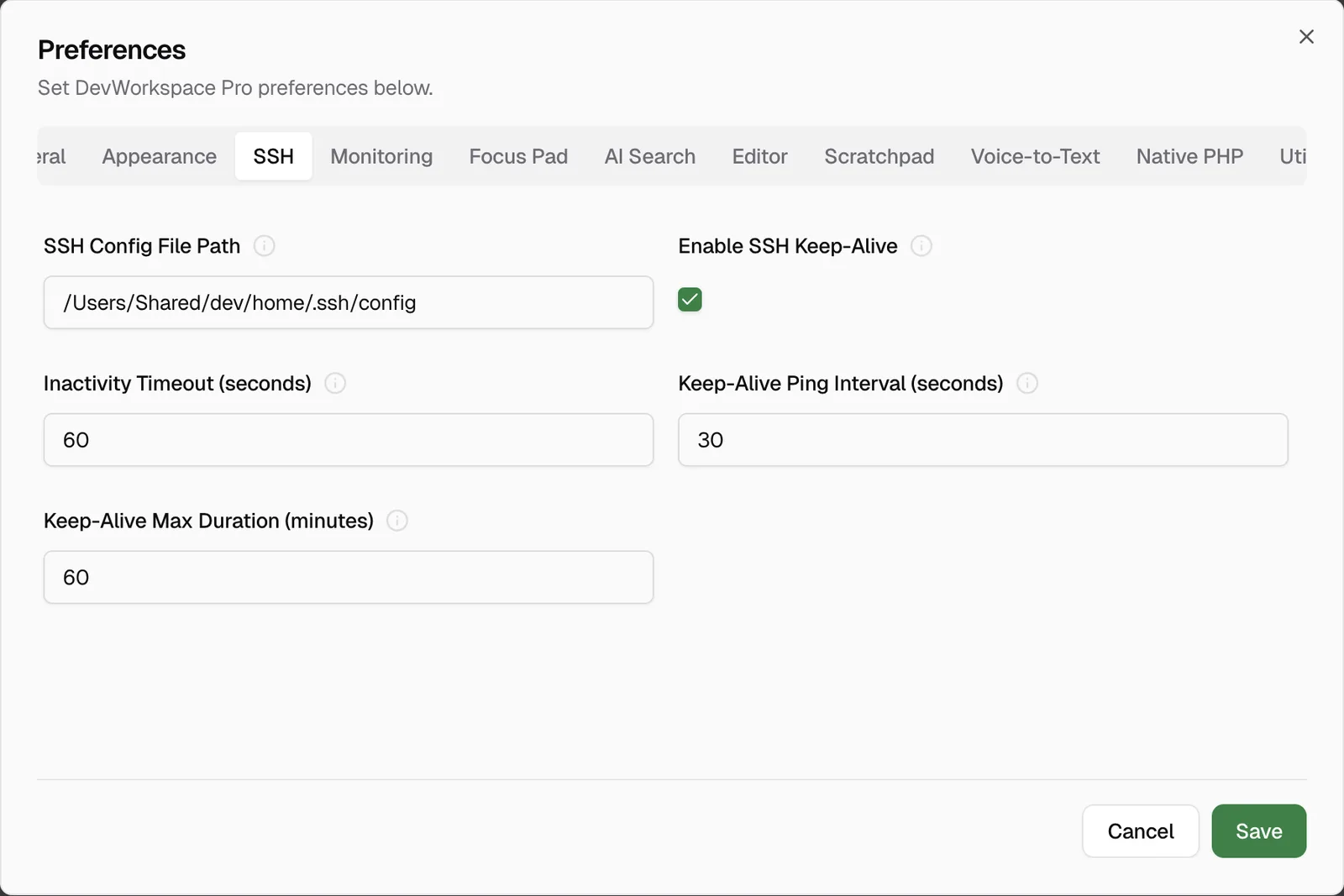
| Setting | Default | Range |
|---|---|---|
| Inactivity Timeout (seconds) | 60 | 10 to 600 |
| Keep-Alive Ping Interval (seconds) | 30 | 5 to 300 |
| Keep-Alive Max Duration (minutes) | 60 | 1 to 480 |
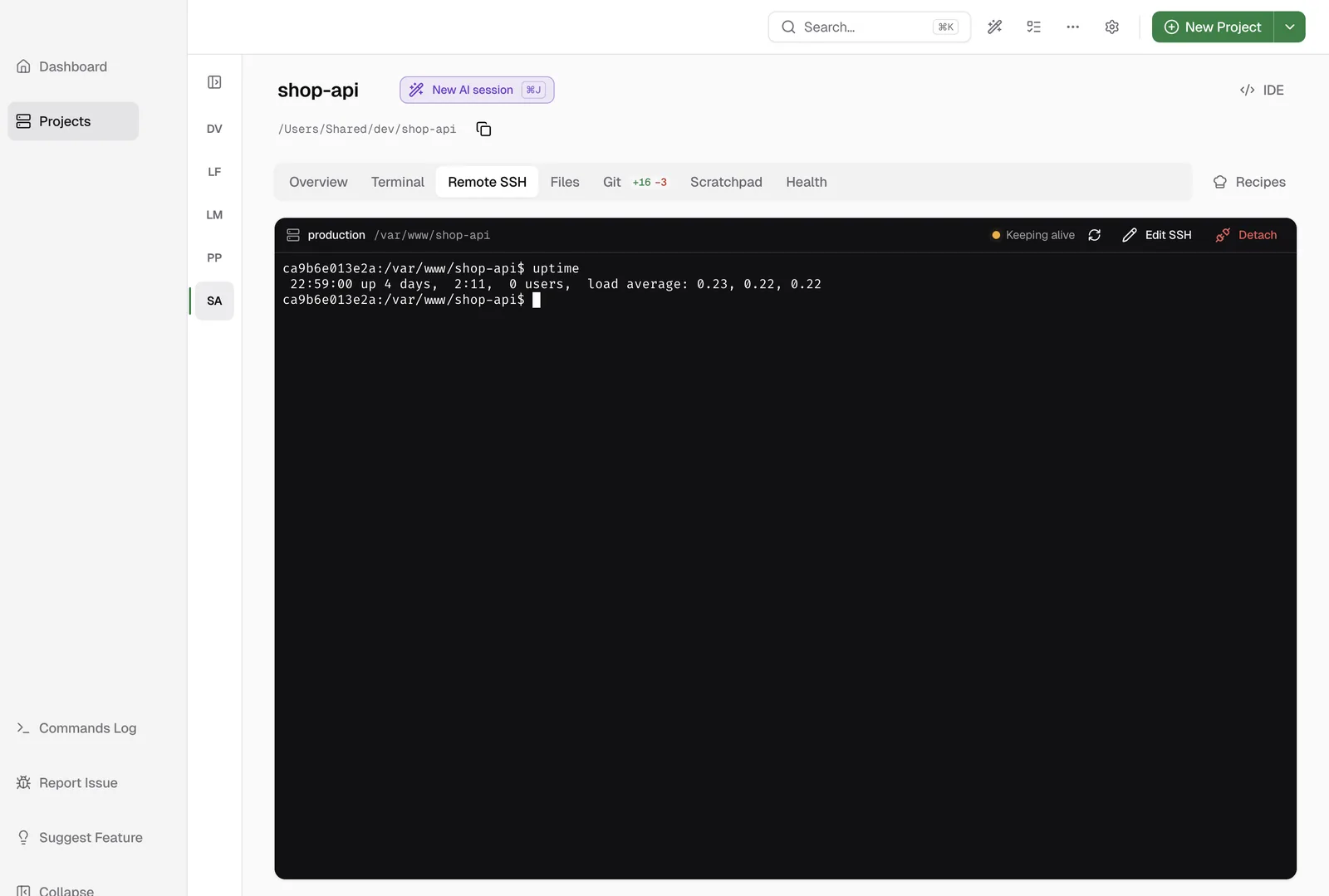
When you stop typing for the inactivity time, the app sends a small terminal request into the session at each interval, and the toolbar changes to Keeping alive. The ping did not leave any characters at the prompt in our test. When you type again, it stops.
What keep-alive will not do
Please, note these limits, because they are the difference between a fix and false comfort:
TMOUTstill wins. We setTMOUT=25on a test server with pings every 5 seconds, and the shell still logged out withtimed out waiting for input: auto-logout.- It does not survive a real outage or a server restart. For a job that must finish, run it in tmux on the server, so you can reconnect and find it still running.
- It stops at the max duration. After 60 minutes by default, the pings stop and a notification tells you.
- A sleeping laptop drops the session. Keep your computer awake during long work.
- It covers the Remote SSH terminal only. Other terminals need the config above.
Learn more
- Remote SSH in the docs has the full setup and troubleshooting.
- Save and open SSH connections
- Pricing
FAQ
Frequently asked questions
What does client_loop: send disconnect: Broken pipe mean?
The connection to the server was already gone when your ssh client tried to send data on it. An idle connection that a router, firewall or server closed is a common reason. A real network problem can give the same error.
What is the quickest fix for an idle SSH session that drops?
Add ServerAliveInterval 30 and ServerAliveCountMax 4 for the host in ~/.ssh/config. Your ssh client then sends a small message through the connection every 30 seconds when the server is quiet.
Does keep-alive stop a server that logs me out with TMOUT?
No. TMOUT is a timeout inside the shell on the server. We tested the keep-alive in DevWorkspace Pro against a shell with TMOUT set, and the shell still logged out. Remove or raise TMOUT on the server.
Can anything keep my session alive through a network outage?
No keep-alive can do that. Run your long job inside tmux on the server. When you reconnect, the job is still there.