

On this page
DevWorkspace Pro is a desktop app for macOS, Windows and Linux that saves an SSH connection on each project, using the hosts in your SSH config file, and opens a terminal on that server in one click. It costs $9 a month, $95 a year or $499 once.
So the server sits with the project it belongs to. You do not need to remember which IP address goes with which client. Open the project, and the server is one tab away.
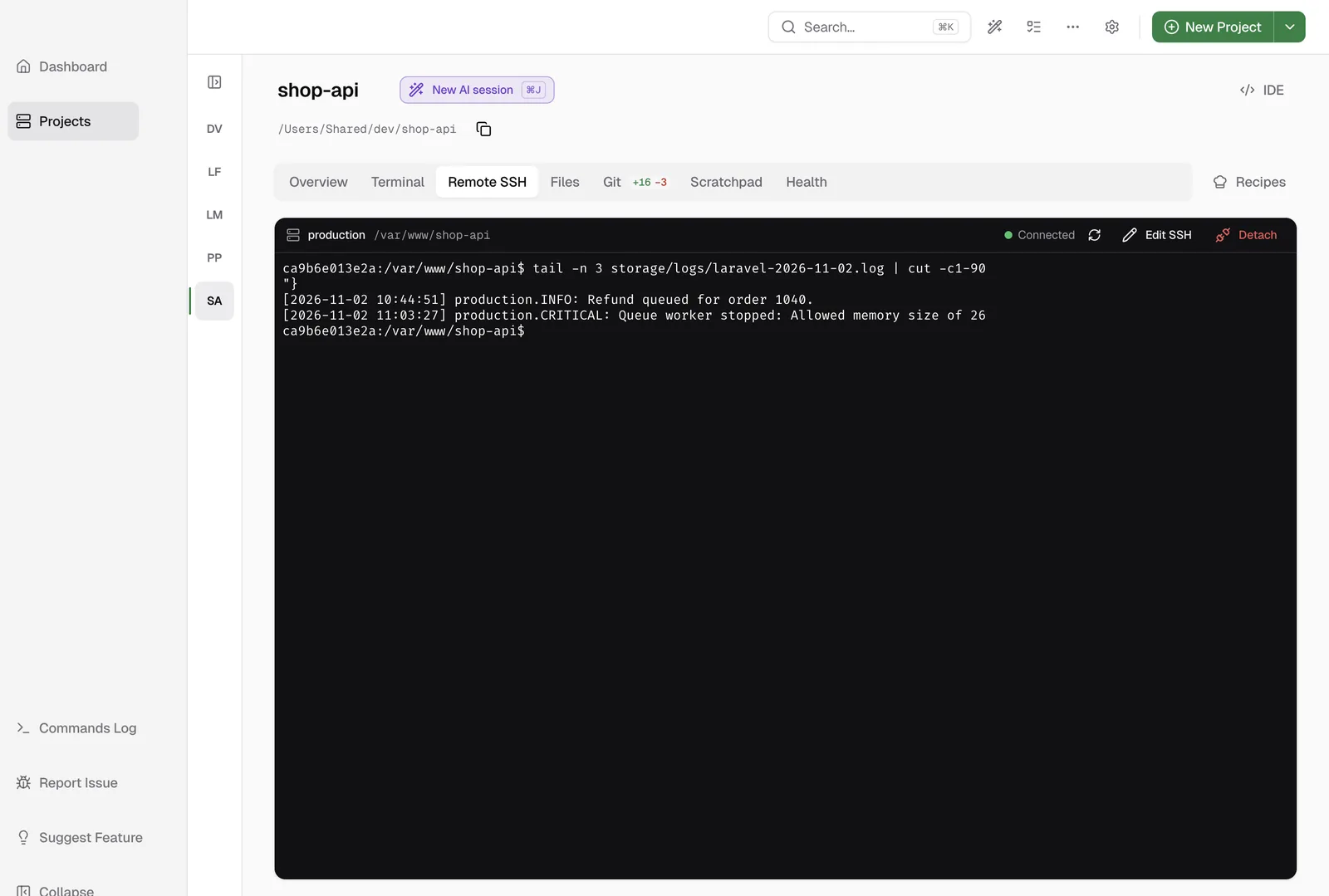
Save a connection
Open the Remote SSH tab of a project. There are two ways to add the server.
Configured host: select a host from your SSH config file and click Save.
SSH configuration: type the Hostname, the Username and the Port. To add it to your SSH config file, check Save in ~/.ssh/config, then click Save. When you open this form, the app reads your clipboard. If it finds something like ssh user@hostname, it asks if it can fill the form with it.
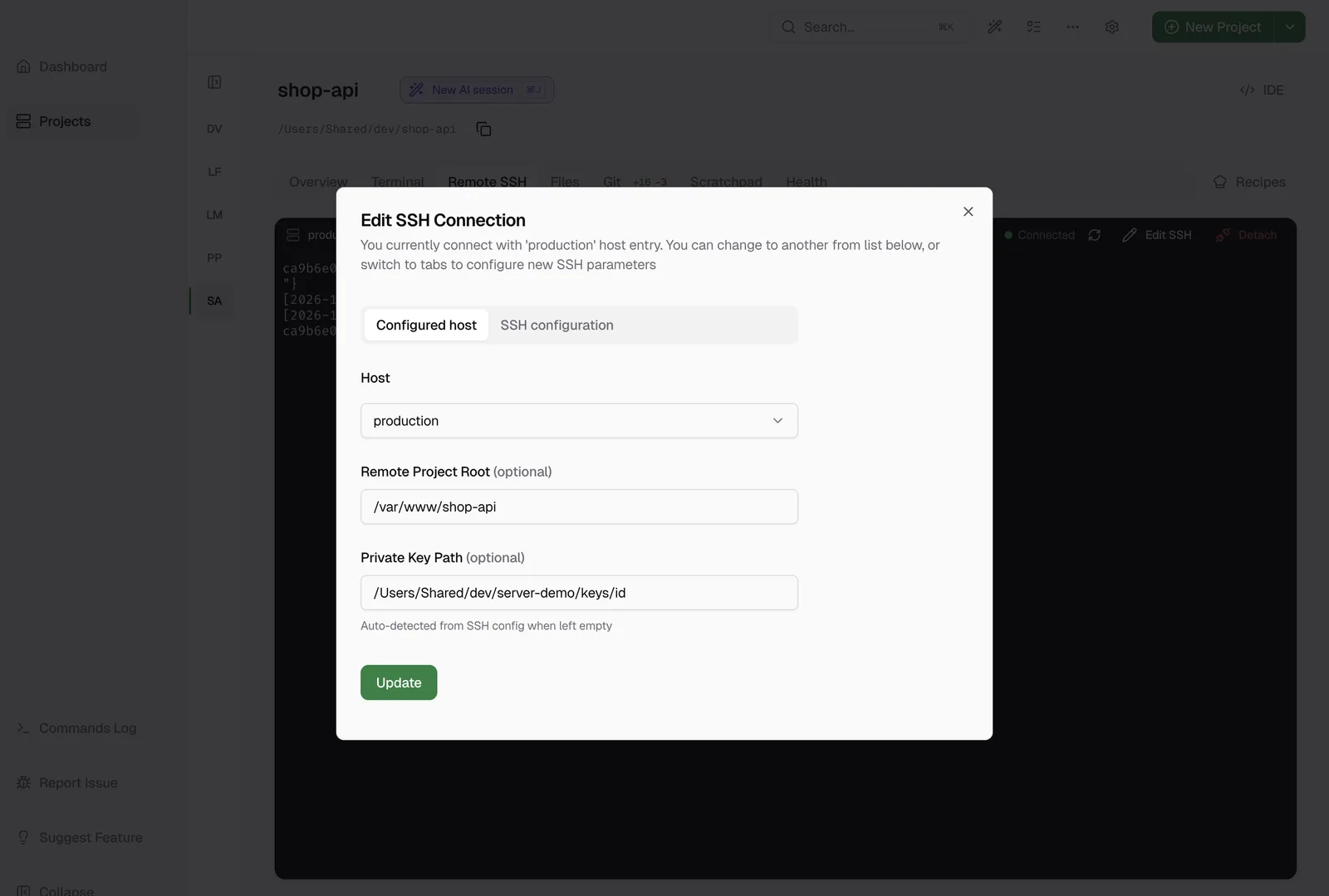
Set the Remote Project Root too. The SSH terminal starts in this folder, and remote logs and the Scratchpad need it.
Stay connected
The session stays open when you go to a different tab or project. When you come back, you see the same session with its output.
If your server closes idle connections, open Preferences → SSH and turn on Enable SSH Keep-Alive. The app then sends pings when the terminal is inactive. If the connection does close, the toolbar shows Disconnected, and nothing you type there runs, so you never type a server command into your own computer by mistake. Click Reconnect to start again.
What you need
The remote server must run Linux. For the terminal, add your key to your SSH agent. Remote logs, log monitoring and the Scratchpad read the key file directly, so they need a Private Key Path or an IdentityFile in your SSH config.
Learn more
- Remote SSH in the docs has the full setup and troubleshooting.
- Pricing
FAQ
Frequently asked questions
How do I save and open SSH connections from a GUI?
Open the project in DevWorkspace Pro and click the Remote SSH tab. Select a host from your SSH config file, or type the hostname, username and port, then click Save. The tab then shows a terminal on your server.
Which servers does it support?
Remote servers that run Linux. The computer you run the app on can be macOS, Windows or Linux.
Does it change my SSH config file?
Only if you ask it to. When you make a new connection, you can check Save in ~/.ssh/config, and the app adds a host block for it.