

On this page
DevWorkspace Pro is a desktop app for macOS, Windows and Linux that reads the Laravel logs of your server through SSH, filters them by level, date and text, and sends a notification when your server logs a new error. It costs $9 a month, $95 a year or $499 once.
There is no package to install on the server. The app reads the files in storage/logs, and Laravel's default log format gives the best result.
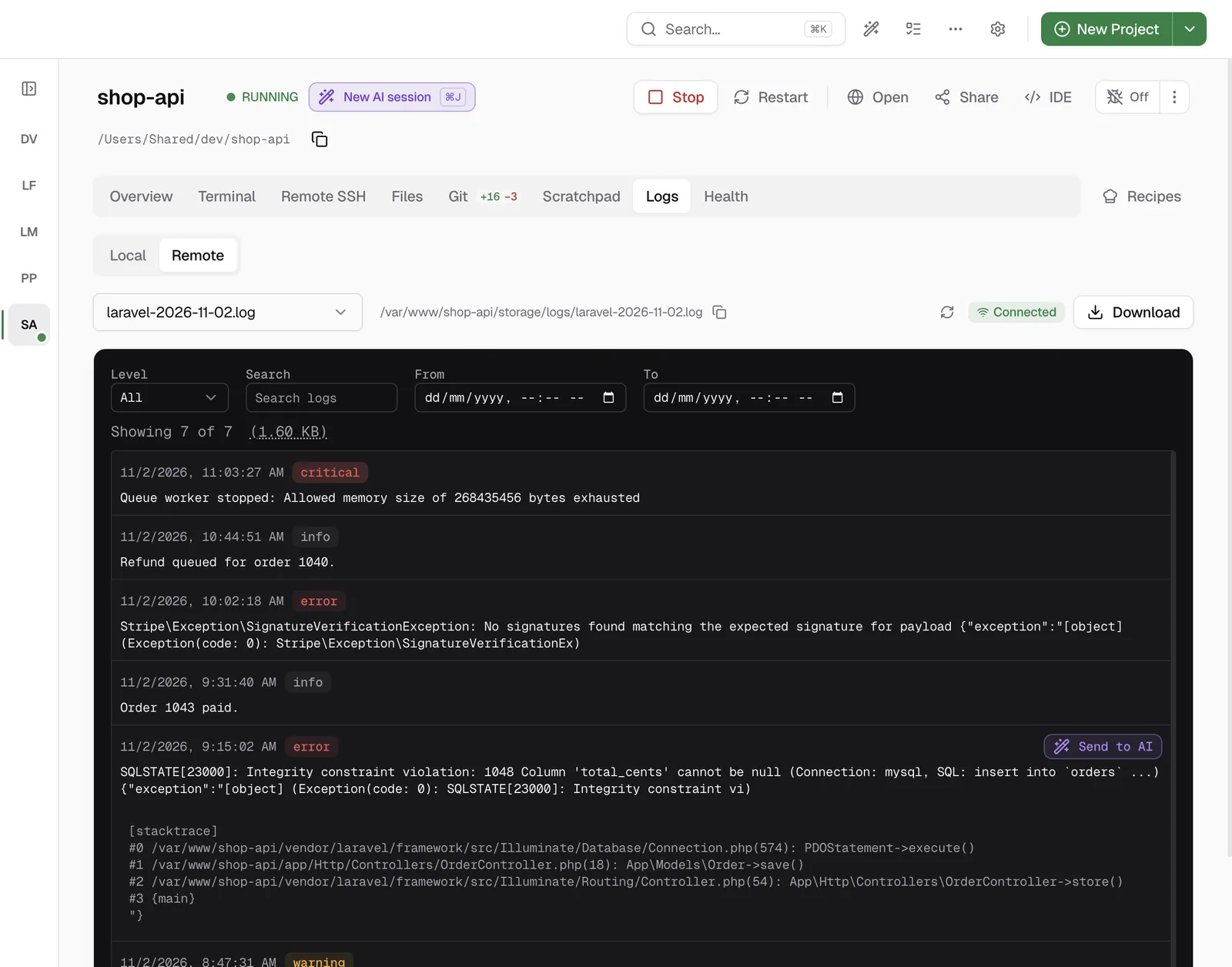
Read the logs of your server
- Connect the project to your server in the Remote SSH tab. See how to save a connection, and set the Remote Project Root.
- Open Logs › Remote. The newest log file opens first, with the newest entries at the top.
- Filter by level, by text, or by date with From and To. Scroll down to load older entries.
- Click an entry to see the stack trace.
To get help with an error, hover over the entry and click Send to AI. The prompt has the log text and the stack trace.
Get a notification on new errors
Open Preferences → Monitoring and turn on Enable Log Monitoring. It is off by default. The check runs every minute unless you change it, and it needs three things on the project: an SSH connection, a Remote Project Root and a GitHub repository URL.
At each check, the app connects through SSH, reads only the lines after the last check in today's log, and looks for ERROR, CRITICAL, ALERT and EMERGENCY entries, plus lines such as Fatal error:. Errors that it reported before do not count again. When there are new ones, you get a system notification and an in-app notification with the number of errors.
Please, note that these checks run from the app on your computer, so the app must be open.
Local logs for a DDEV project
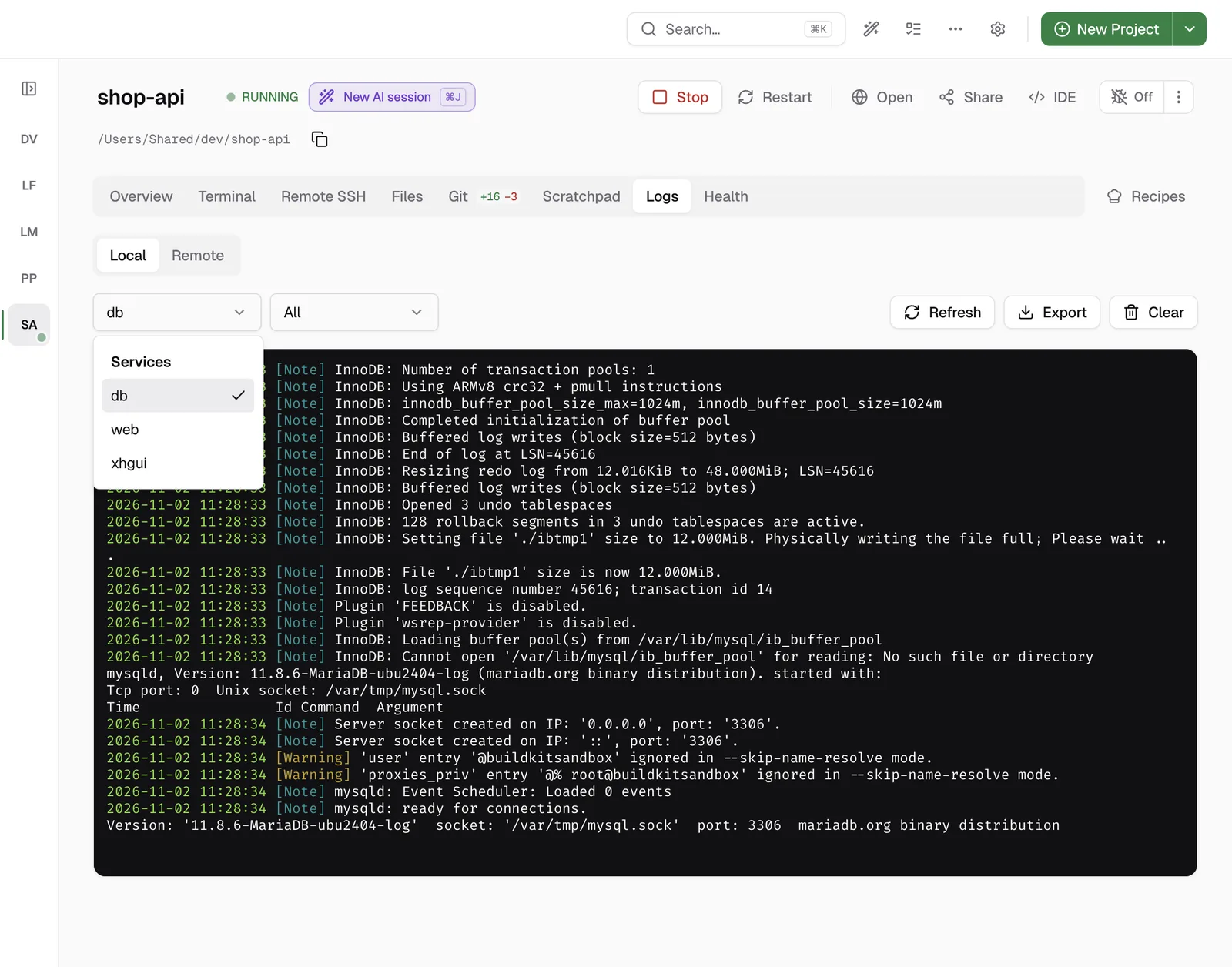
For a project that runs in DDEV, Logs › Local streams the logs of each service, for example web or db, in real time. You can filter by level. For Docker Compose and Laravel Sail services, the logs are on the services card of the project.
Learn more
FAQ
Frequently asked questions
How do I tail remote Laravel logs and get alerts on errors?
Connect the project to your server in the Remote SSH tab of DevWorkspace Pro, then open Logs, then Remote. To get alerts, turn on Enable Log Monitoring in Preferences, Monitoring. The app checks the logs on your server over SSH and sends a notification when it finds new errors.
Do I have to install a package on my server?
No. DevWorkspace Pro reads the files in storage/logs through SSH.
Does the app need to be open for the alerts?
Yes. The checks run from the app on your computer. Uptime monitoring is different: our servers do those checks.