
On this page
To upgrade Laravel with Rector, run the rector-laravel set of the next version, for example LaravelSetList::LARAVEL_110 for Laravel 10 to 11, then update your packages in composer.json and run composer update -W, because Rector changes your code and not your dependencies. DevWorkspace Pro has a Laravel Upgrade recipe that does the Rector part with one click, but it works only on Laravel projects that run in DDEV.
The usual complaint is that Rector ran and nothing changed. This developer was moving from Laravel 11 to 12, and this one saw no changes on a fresh install. Both were on withComposerBased.
Run one set for the next version
Install the two packages:
composer require --dev rector/rector driftingly/rector-laravel
Then put the set of your next version in a Rector config. This is for Laravel 10 to 11:
<?php

use Rector\Config\RectorConfig;
use RectorLaravel\Set\LaravelSetList;

return RectorConfig::configure()
    ->withPaths([
        __DIR__ . '/app',
        __DIR__ . '/config',
        __DIR__ . '/database',
        __DIR__ . '/routes',
        __DIR__ . '/tests',
    ])
    ->withSets([LaravelSetList::LARAVEL_110]);
See what it will change, then run it for real:
vendor/bin/rector process --dry-run
vendor/bin/rector process
On a fresh Laravel 10 app, this set changed one file, app/Models/User.php. On a real app, expect more files, so commit your work first and read the diff.
The two kinds of set are different. LARAVEL_110 has only the rules of that version. The maintainer explains that UP_TO_LARAVEL_110 includes everything from earlier versions too, so it can touch code that has nothing to do with this upgrade. If you use withComposerBased, it does nothing unless you also register LaravelSetProvider.
Do not stop before Composer
On that app, Rector moved the $casts property into a casts() method. This is correct for Laravel 11, but Laravel 10 does not read that method. We created a User with the password plain on Laravel 10, before and after the Rector run:
| Casts on the model | $user->password |
|
|---|---|---|
| Before Rector | id, email_verified_at, password |
$2y$12$43y2GVlx... |
| After Rector, still on Laravel 10 | id |
plain |
So if your code relies on the hashed cast, your app can run with no error and save a password as plain text until you finish the upgrade. Treat the Rector run and the Composer update as one step.
For Laravel 10 to 11, we made these changes in the composer.json of the default app:
"laravel/framework": "^11.0",
"laravel/sanctum": "^4.0",
"laravel/tinker": "^2.9",
"nunomaduro/collision": "^8.1",
"phpunit/phpunit": "^11.0"
Then run composer update -W. Your own packages will differ, so go through the Laravel upgrade guide as well. It also lists config and other changes that Rector does not make.
Composer can refuse the version with this message: these were not loaded, because they are affected by security advisories. We got it for every Laravel 11 release. Composer does this on purpose. To go through Laravel 11 on your way to a newer version, run composer config audit.block-insecure false, and remove that setting from composer.json when you are done. A Composer dry run for Laravel 12 did not need it.
With those changes, the app reached Laravel 11.57.1, and php artisan test passed the two example tests. Then repeat all of this for the next version.
Or run it with one click, on DDEV
If your Laravel project runs in DDEV, DevWorkspace Pro can do the Rector part for you. The project must be running.
- Click Recipes at the right end of the project tab bar.
- Run Rector, then Rector Laravel. They install the two packages.
- Click Laravel Upgrade. It reads your version from
composer.jsonand shows the next one. - Click Proceed.
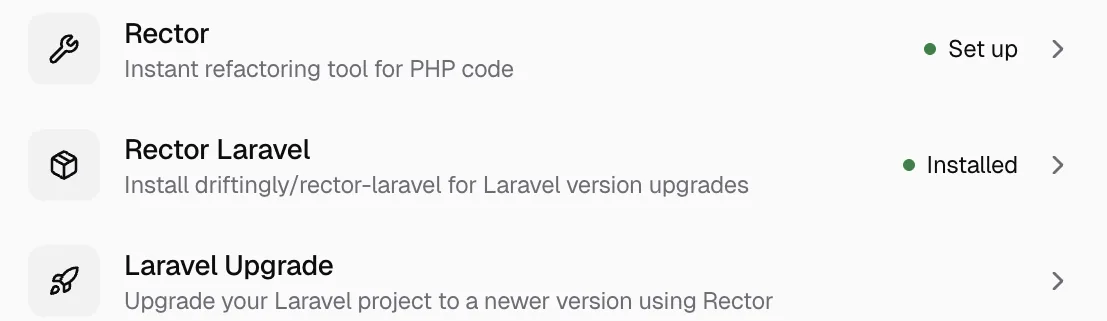
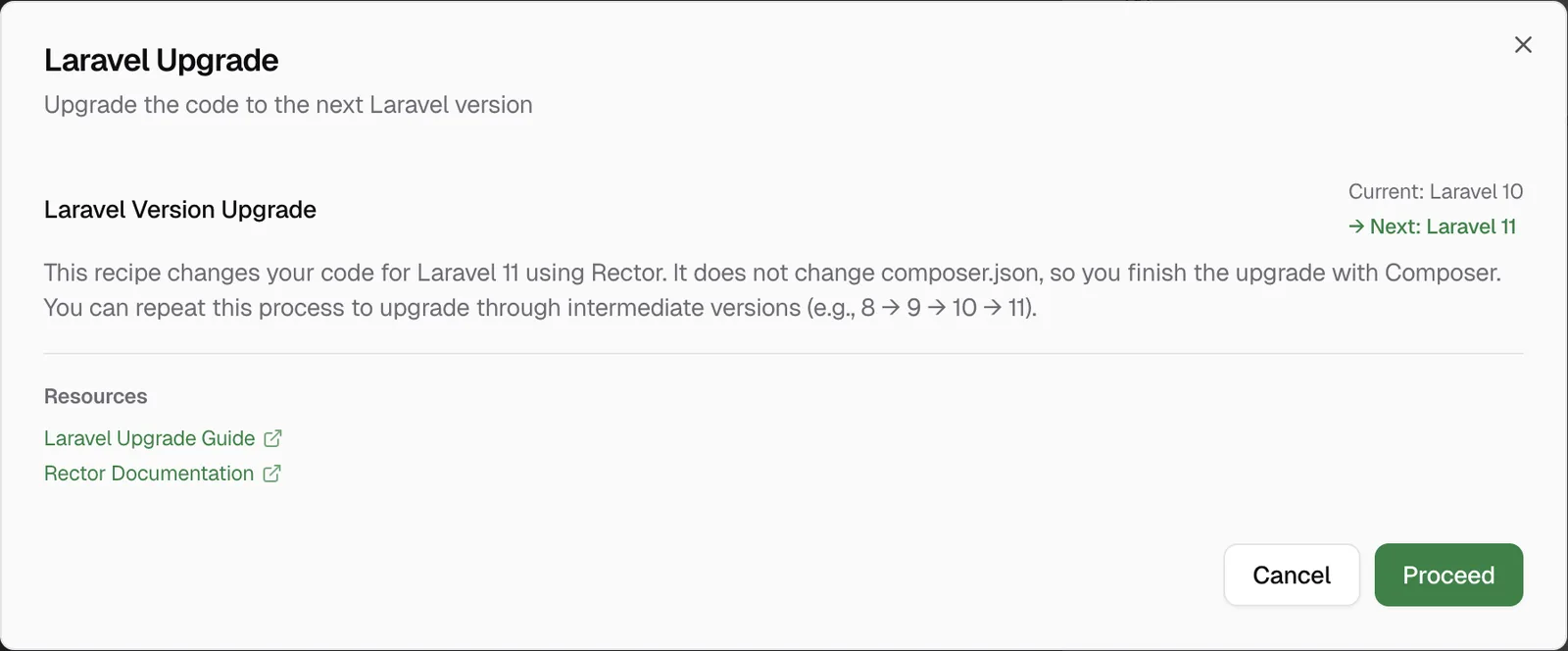
The recipe runs the set of the next version on app, bootstrap/app.php, config, database, routes and tests, with a temporary config file that it removes after. You see the diff, the rules that applied and your next steps.
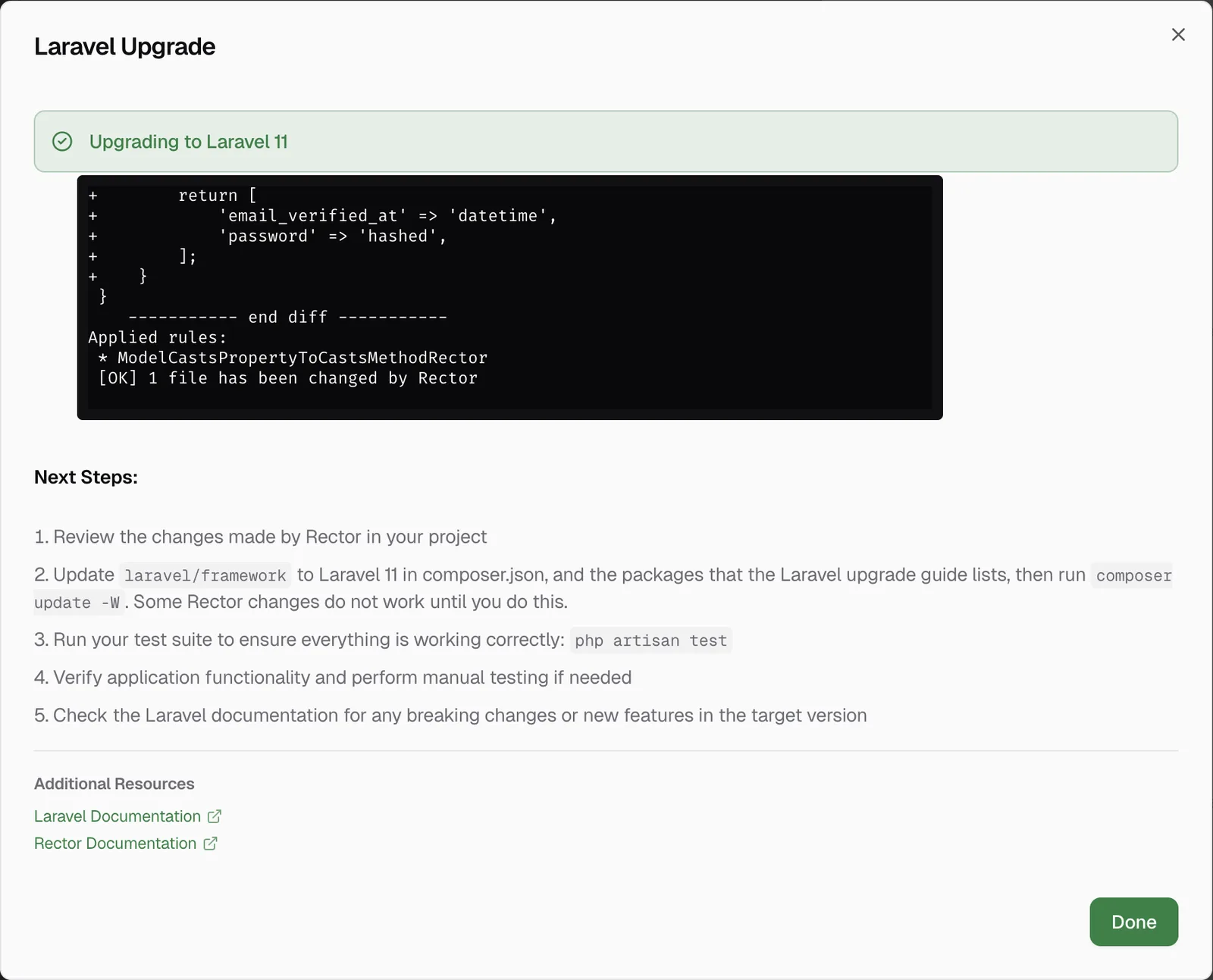
To review the diff in the app, see Review Git changes and commit. For all the recipes, see the docs.
Limits
- Recipe on DDEV only. On a Laravel project outside DDEV, the Recipes panel does not show Rector Laravel or Laravel Upgrade. Use the commands above.
- The recipe does not change
composer.json. So it keeps showing the same version until you updatelaravel/framework. - What we tested. Laravel 10 to 11 end to end on a fresh app, on macOS. After that, the recipe offered Laravel 11 to 12, and we did not run that step.
- Versions. The recipe supports Laravel 8 to 13. On Laravel 13, it shows Up to date.
FAQ
Frequently asked questions
Does Rector upgrade Laravel by itself?
No. Rector changes your code. You still update laravel/framework and the other packages in composer.json, run composer update -W, and follow the Laravel upgrade guide.
Should I use LARAVEL_110 or UP_TO_LARAVEL_110?
For one upgrade step, use LaravelSetList::LARAVEL_110. It has only the rules for that version. The UP_TO sets include every earlier version as well.
Why did Rector change no file with withComposerBased?
withComposerBased does nothing unless you also register LaravelSetProvider, and it applies only the versioned rules. An explicit set in withSets avoids both questions.
Does the Laravel Upgrade recipe work on every Laravel project?
No. It works only on Laravel projects that run in DDEV. On any other setup, the Recipes panel does not show it, and you use the commands on this page.