
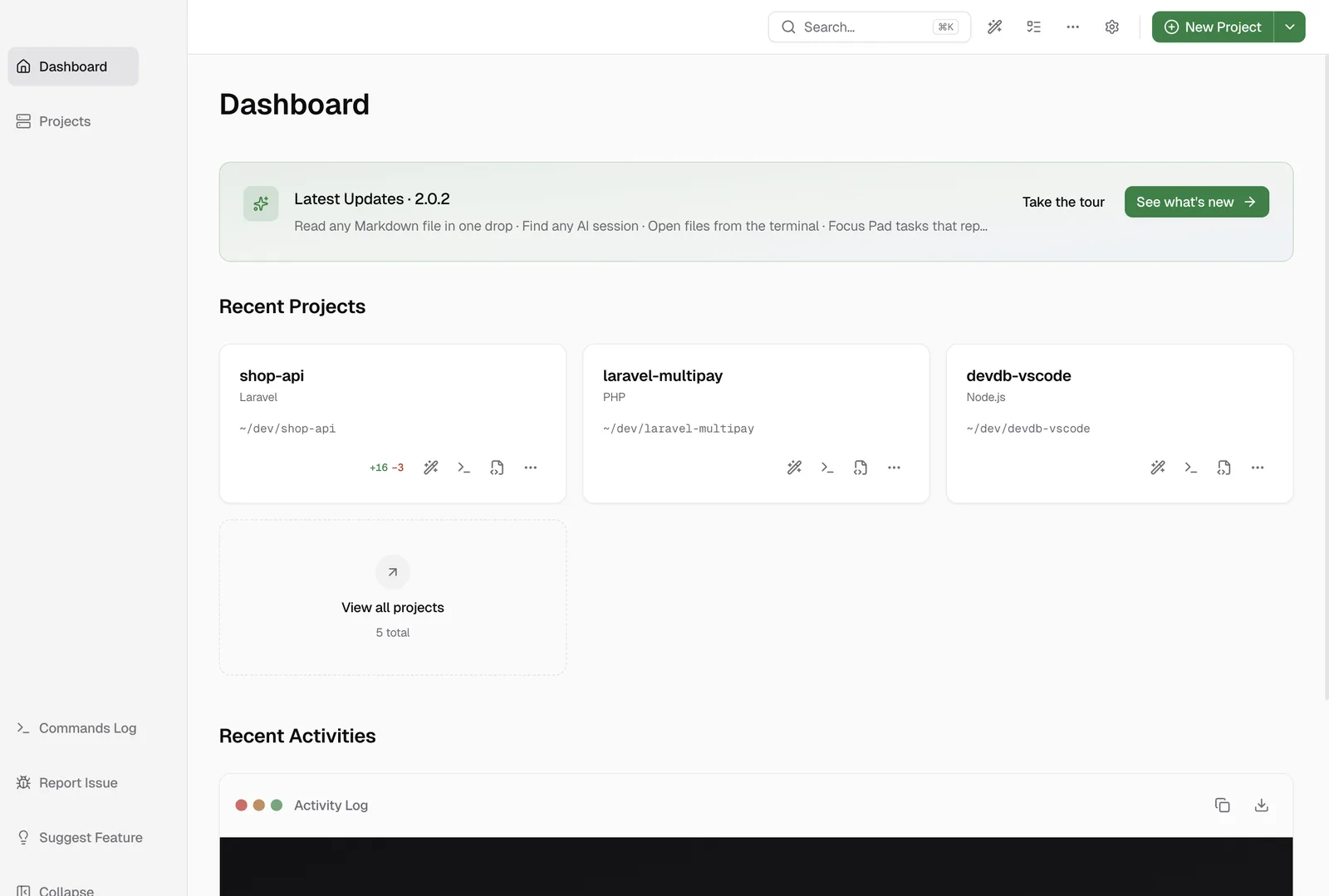
Yes. DevWorkspace Pro is a desktop app for macOS, Windows and Linux that puts every project on your machine in one window, each with its own Git, GitHub, AI sessions, terminal and files. It costs $9 a month, $95 a year or $499 once.
A project is simply a folder, in any stack: Laravel, WordPress, .NET, Node.js, Go, Python, Rust or Ruby. If you work on a couple of projects at the same time, you stop hunting for the right terminal tab.
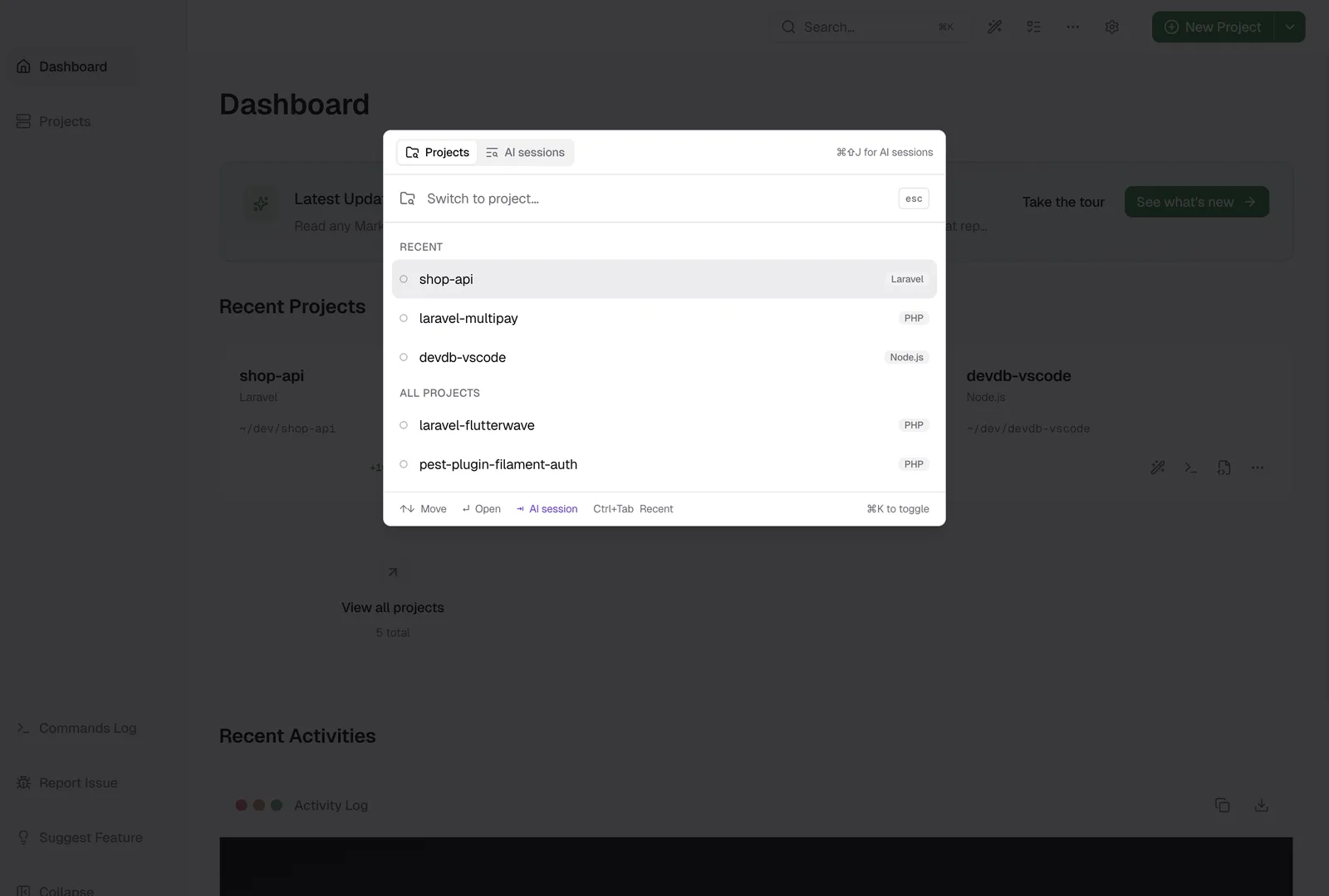
Move between projects
Press Cmd+K (Ctrl+K on Windows and Linux) and type a few letters of the name. The sidebar also shows each project, with its added and removed lines.
What each project gets
Every project gets these, whatever the stack:
- Files and Git: read your diffs and commit.
- GitHub: watch your Actions runs and send an issue to an AI agent.
- AI sessions: run Claude Code, Codex and OpenCode together, resume them after a restart and search all of them.
- Terminal and Remote SSH.
- Health: uptime monitors, and a dependency security scan when the project has a supported lockfile.
What some projects also get
A known stack adds stack detection, Run cards and recipes. A project that runs in DDEV adds start and stop controls, live logs, databases and the PHP Scratchpad. Docker Compose and Laravel Sail projects get their services on the project page, and on macOS a PHP project can run natively without Docker.
Learn more
FAQ
Frequently asked questions
Is there one desktop app for managing many local dev projects and monitoring GitHub Actions?
Yes. DevWorkspace Pro lists all your projects in one window, and each project has its own Git tab with Issues and Actions. It sends a desktop notification when a run fails.
Is there one desktop app for managing many local dev projects and running AI coding agents?
Yes. DevWorkspace Pro starts Claude Code, Codex and OpenCode in the folder of each project, resumes those sessions after a restart, and searches all of them.
Is there one desktop app for managing many local dev projects with DDEV and without Docker?
Yes. DevWorkspace Pro has start and stop controls for DDEV projects, and on macOS it can also run a PHP project natively, with no Docker.
Does it only work for PHP?
No. A project is any folder: Laravel, WordPress, .NET, Node.js, Go, Python, Rust, Ruby, a docs repo, anything. Some stacks get extra features, such as Run cards and recipes.